Competitive Hosting
Your Counter-Strike 2 server, competitive-ready.
Subtick precision, DDoS protection and enterprise hardware on every plan. Fire commands from a live RCON terminal, drop in Workshop maps, manage files in the browser or over SFTP and run private scrims, with no shell access.

Subtick
Competitive Engine
Valve subtick, no tickrate to tune
Auto
Setup
Installed for you after checkout
EU
Hosted in Europe
Servers in European data centers
NVMe
Storage
DDR5 ECC memory, enterprise hardware
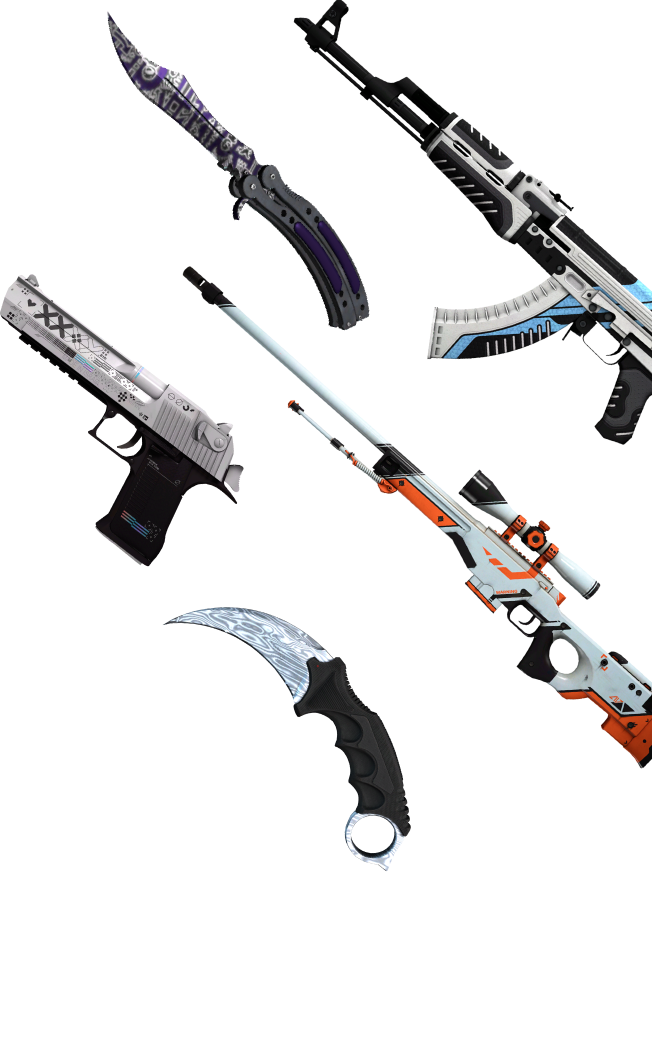
Any way to play
Run any game mode you compete in
From ranked 5v5 to surf and deathmatch warmups, the same panel powers it all. Swap maps, tune convars and manage players whenever your community needs it.
Competitive 5v5
Ranked-style matches on the full de_ map pool, with rounds, timers and overtime set from RCON.
Wingman & Casual
2v2 bomb defusal and relaxed casual lobbies for warmups and easy-going nights.
Deathmatch & Arms Race
Fast respawns, free-for-all and gun-progression modes to sharpen your aim.
Surf, KZ & Movement
Load community surf and KZ maps straight from the Steam Workshop.
Competitive Toolkit
Built for the competitive edge
A complete toolkit for running Counter-Strike 2 servers, fit for any community, from a single scrim server to a full match network.
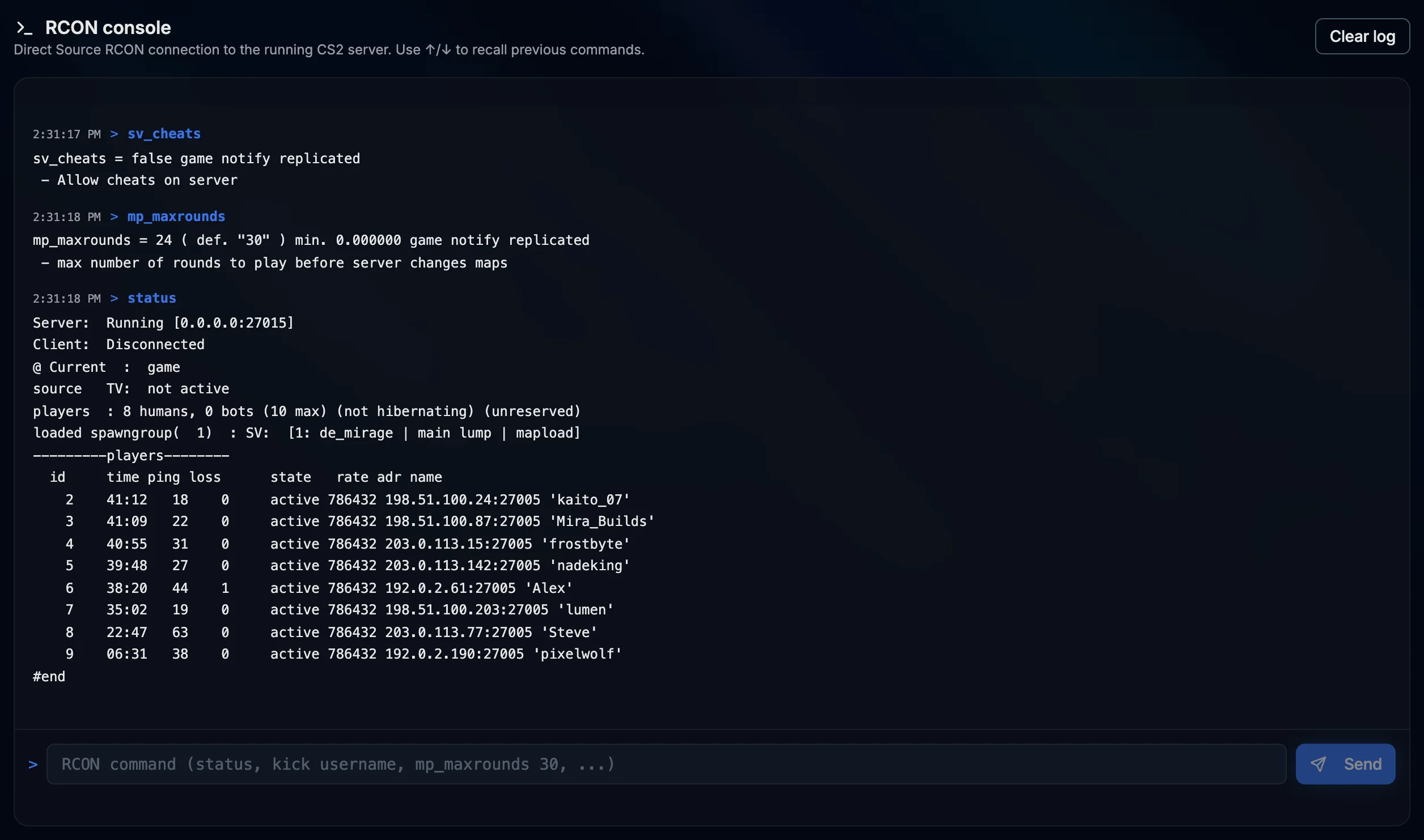
Live RCON Terminal
Send any RCON command from a panel terminal and get the server reply right below it. Use the arrow keys to recall earlier commands.
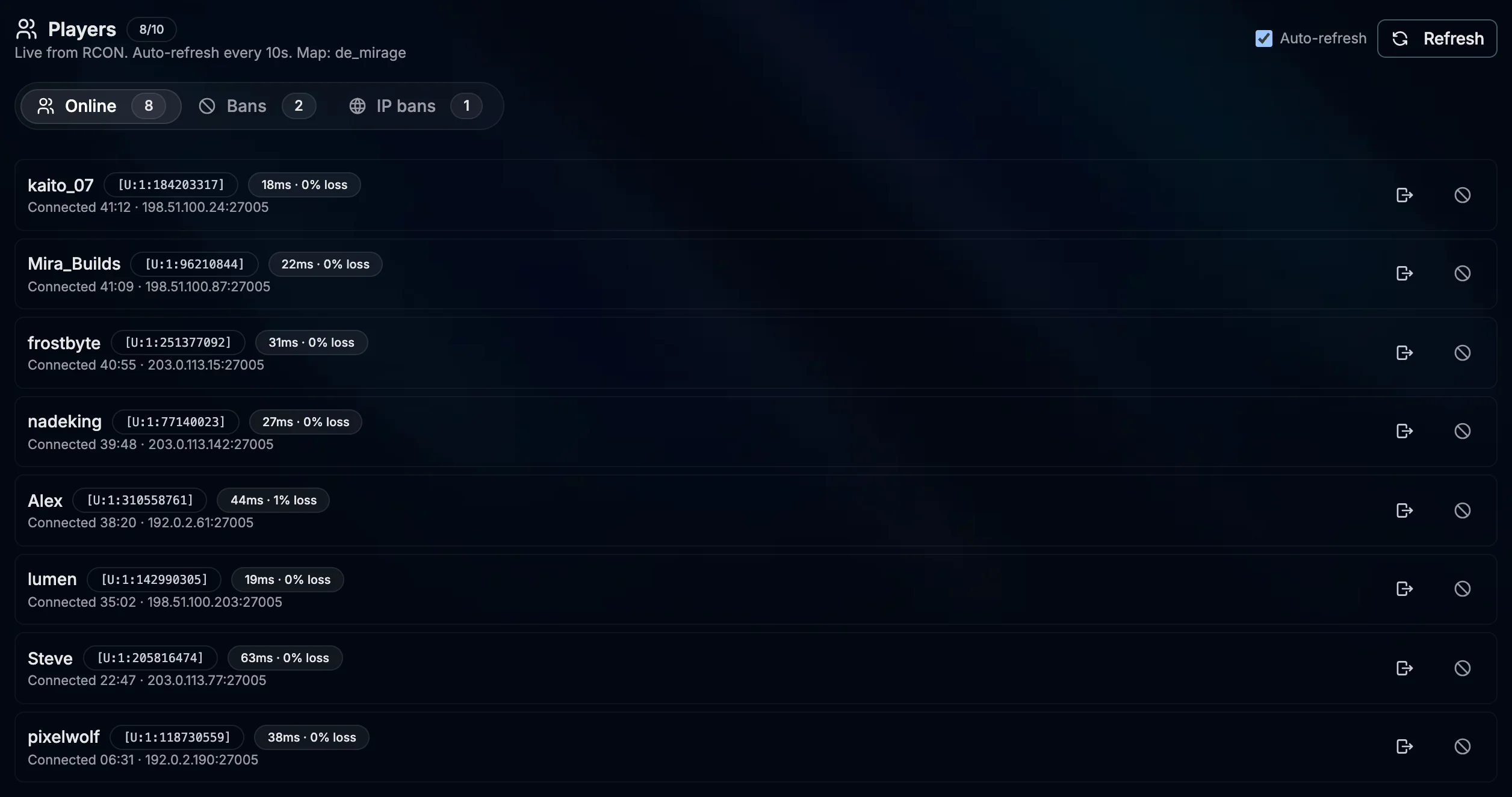
Live Players, Kick and Ban
See connected players with SteamID and ping pulled live from the status command. Kick or ban a player in one click, ban an IP for a set time and lift bans just as fast.
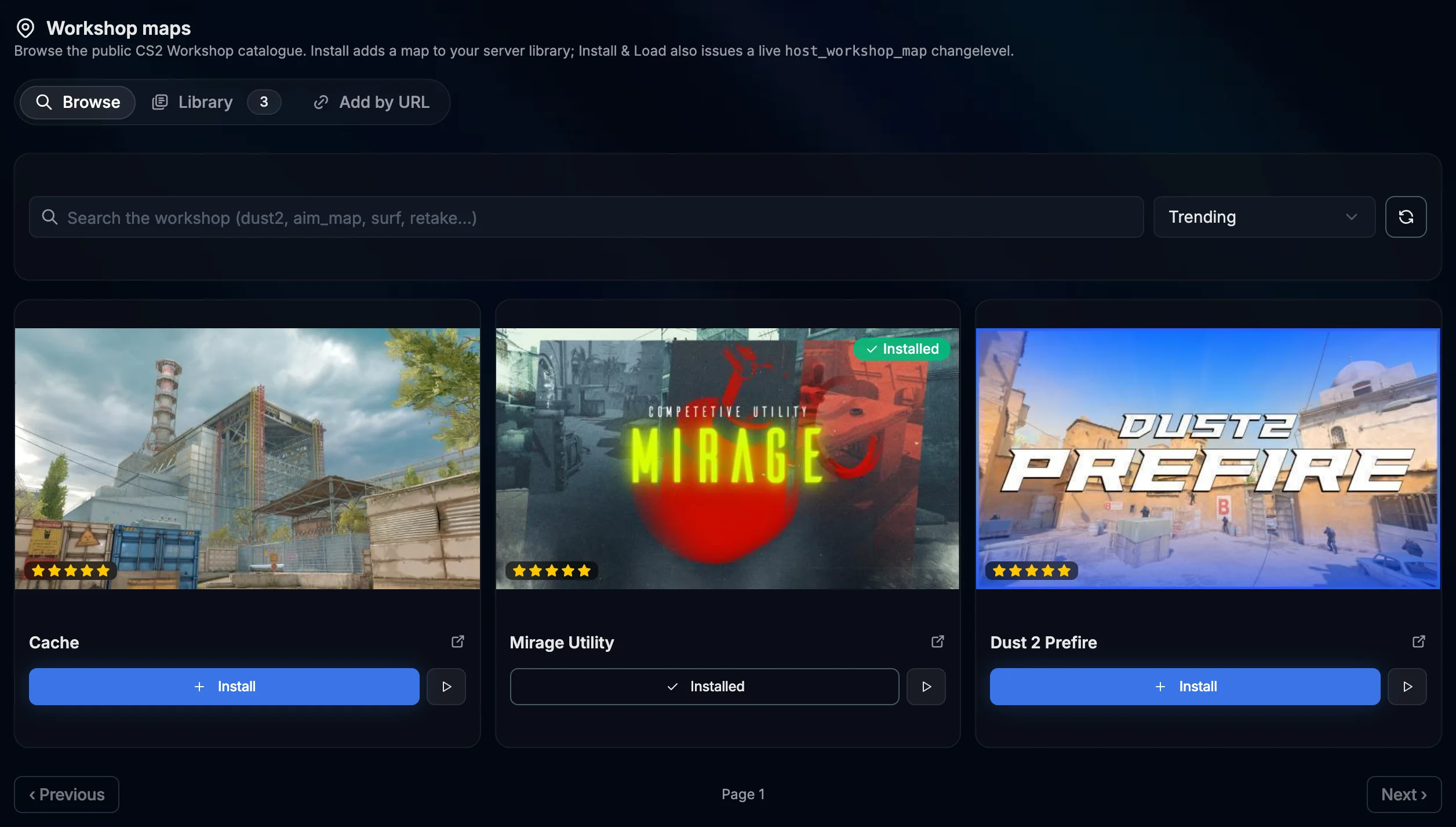
Workshop Maps Integrated
Browse the Steam Workshop or add any map by ID or URL. Switch the live server to it in one click, or remove it from your library without touching files.
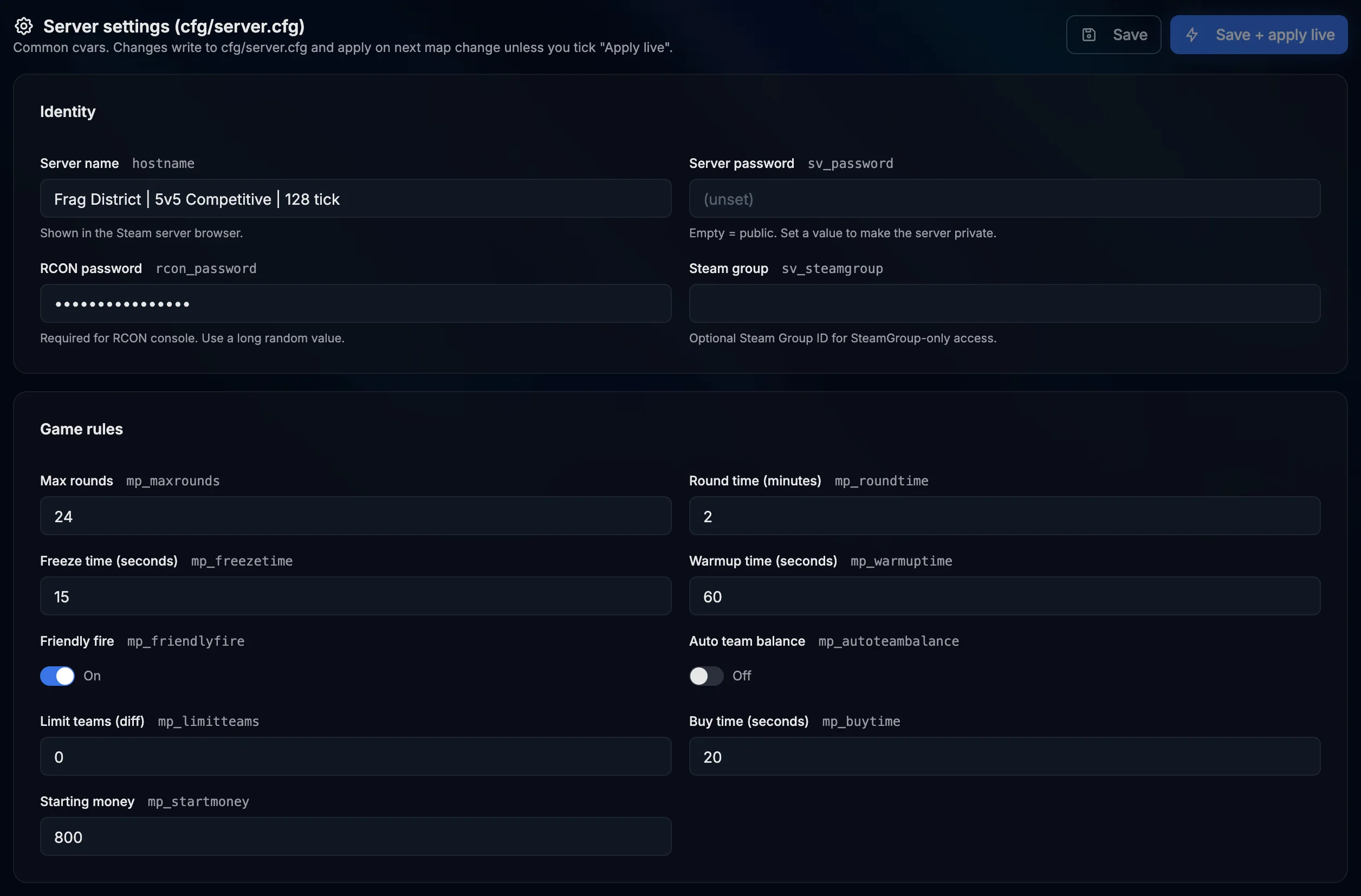
server.cfg Editor
Edit the hostname, passwords, round rules, bots and server convars from a clean form. Save for the next map or apply the changes live.
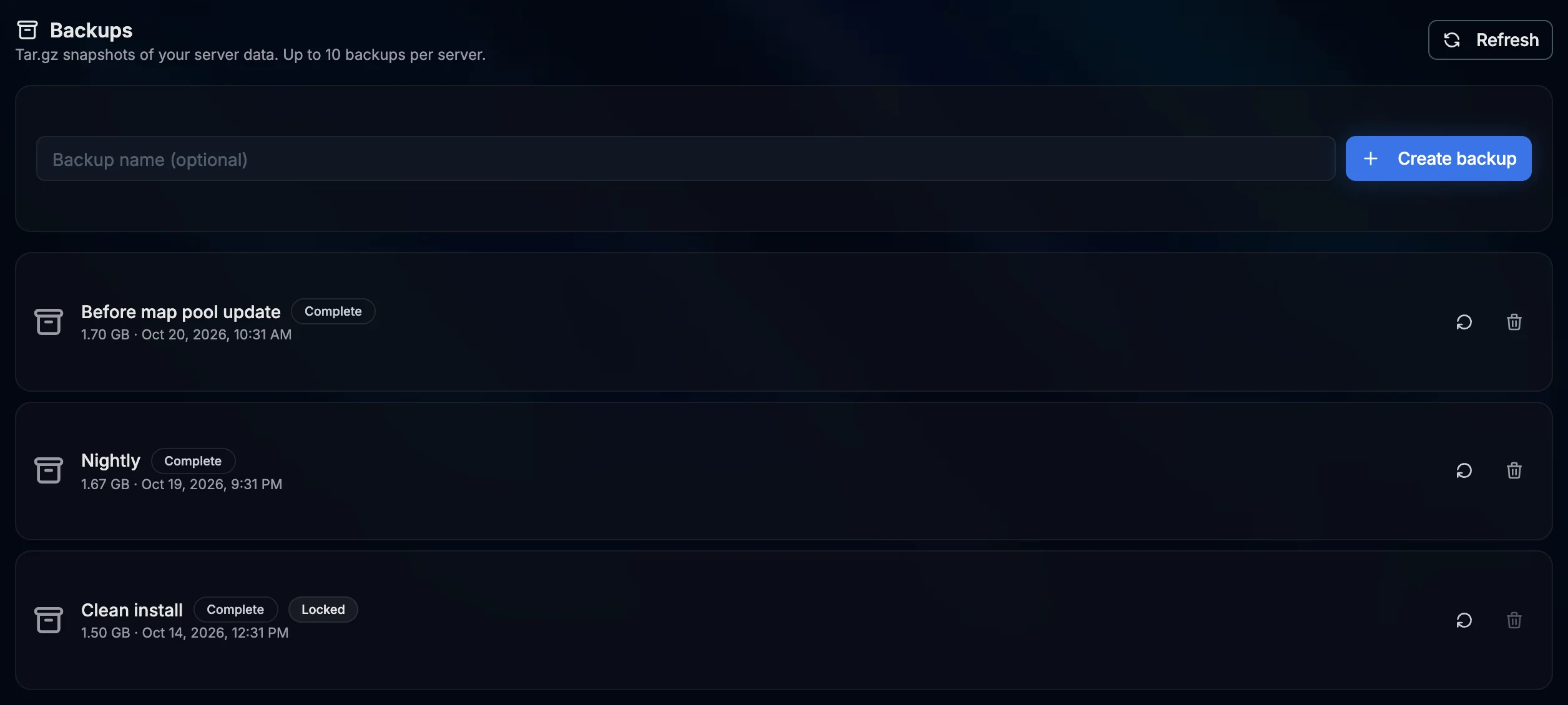
On-Demand Backups
Back up the full server whenever you want; backups are stored with your server. Restoring one stops the server while the files are put back.
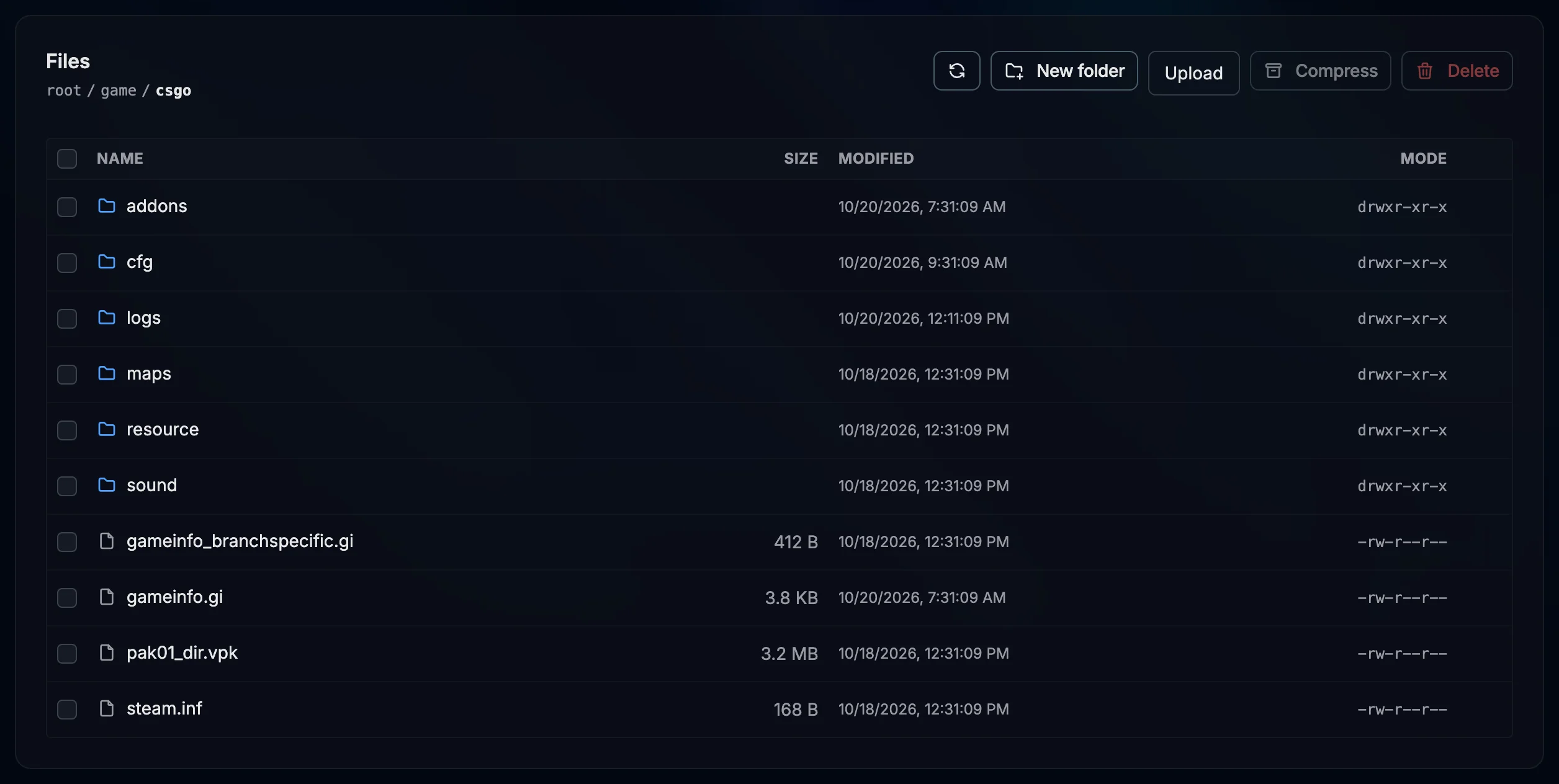
Full File Manager
Browse, edit, upload, compress and rename any file from the browser, or connect over SFTP. File changes show up in the activity log.
Server Panel
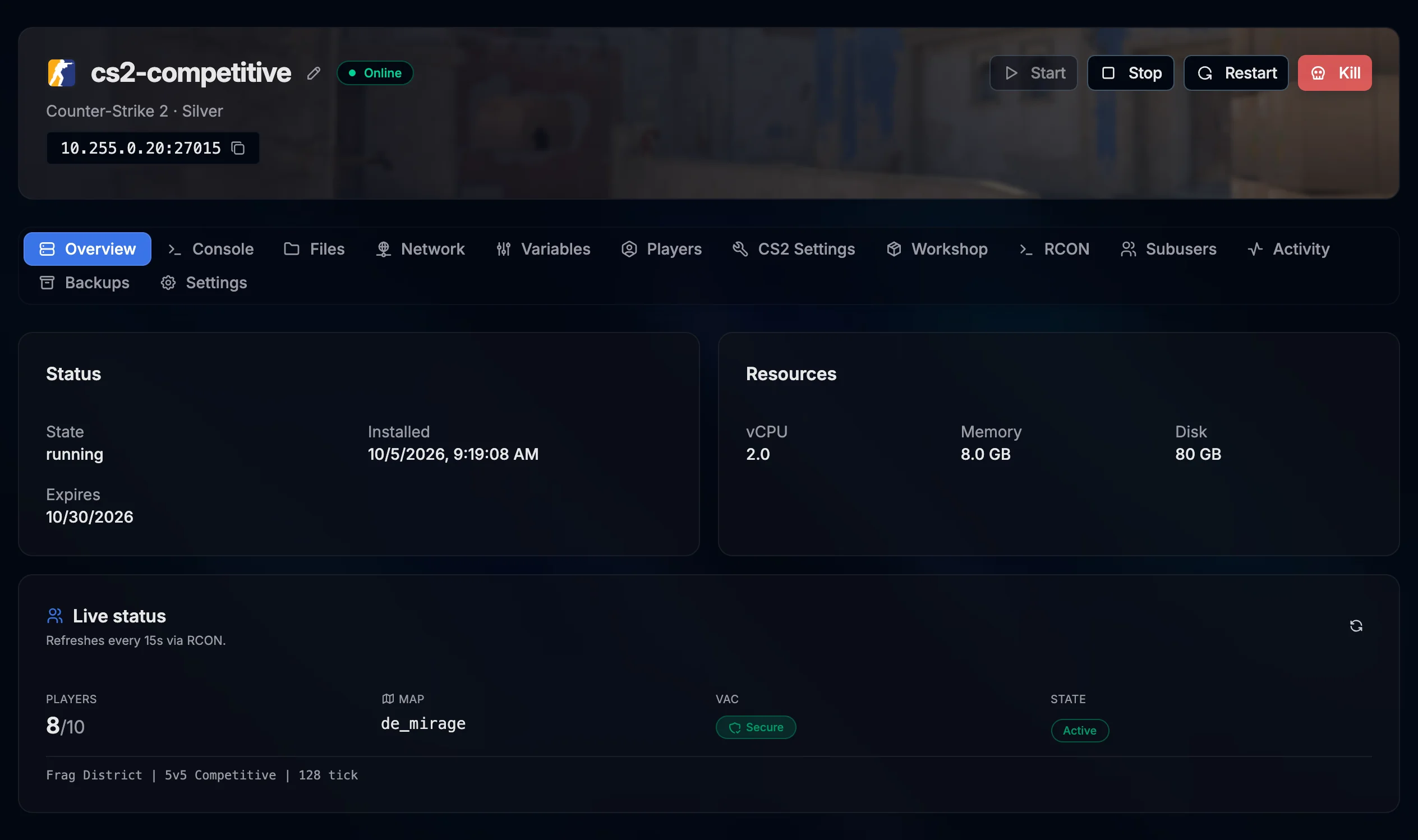
Run your CS2 server without touching SSH
The settings you would normally edit by hand are a click away. Reserve extra ports for SourceTV, hand the keys to a co-admin without sharing your password, audit who did what and roll the server back if a config update breaks live play.
- Extra port allocations for SourceTV
- Invite co-admins by email with scoped permissions per area
- Activity log of file changes, power actions, backups and co-admins
- Edit startup variables or reinstall on demand
Plans for every Operation
All plans include DDoS protection, a live RCON terminal, Workshop integration, on-demand backups and our fast control panel.
Plans are loading or temporarily unavailable. Please try again in a moment.
Questions, answered
Everything you need to know before you deploy
How fast is my server ready?
Setup is automatic. Once your order is paid we assign the ports and install CS2 for you. The first install downloads the full game from Steam, so it usually takes a few minutes.
What about tickrate and performance?
CS2 uses Valve subtick, so there is no fixed tickrate to set. Every plan gets its own RAM and vCore allocation on enterprise hardware with DDR5 ECC memory and NVMe storage.
Can I install plugins like MatchZy or CounterStrikeSharp?
There is no one-click plugin installer for CS2. The file manager and SFTP give you full access to the server files, so you can upload and set up plugin frameworks yourself.
Do you support Steam Workshop maps?
Yes. Browse the Workshop or add any map by ID or URL from the panel, then switch the live server to it in one click.
Is DDoS protection included on every plan?
Yes. DDoS protection is part of our network and comes with every CS2 server, with no surcharge or add-on.
Can I run private scrims and 5v5 matches?
Of course. Set a server password in the server.cfg editor, run match commands from the RCON terminal and kick or ban players live.
Your CS2 server, competitive-ready
DDoS protected and set up for you after checkout. Get your team's server online, open the RCON terminal, drop in Workshop maps and start fragging.
Launch Now