Vanilla, Paper, Modded and Proxy ready
Your Minecraft server, live in minutes.
NVMe storage, DDR5 ECC RAM and DDoS protection on every plan. Pick from 8 server flavors, choose versions and builds from the panel, manage players from a NBT-aware panel and let Bedrock players join through Geyser. SFTP when you need it, no manual JARs.



8
Server Flavors
Vanilla, Paper, Modded, Proxies
NBT
Player Tooling
Inventories, skins, advancements
Fast
Setup
Automatic right after checkout
Geyser
Bedrock Cross-play
Mobile and console ready

Any way to play
Run any game mode you dream up
From a cozy SMP to a sprawling minigame network, the same panel powers it all. Put a Velocity or Waterfall proxy in front of your servers when your community grows.
Survival & SMP
Vanilla mechanics, land claims and economies through plugins for tight-knit communities.
Creative & Build
WorldEdit, plot worlds and unlimited blocks for build teams, showcases and map makers.
Minigames & PvP
Front a hub, arenas and lobbies behind a Velocity proxy with shared player counts.
Modpacks & RPG
Forge and Fabric modpacks with hundreds of mods, quests and custom dimensions.
Server Toolkit
Everything your server needs
A complete toolkit for running Minecraft servers, fit for any communities requirements, regardless of size or resource consumption.
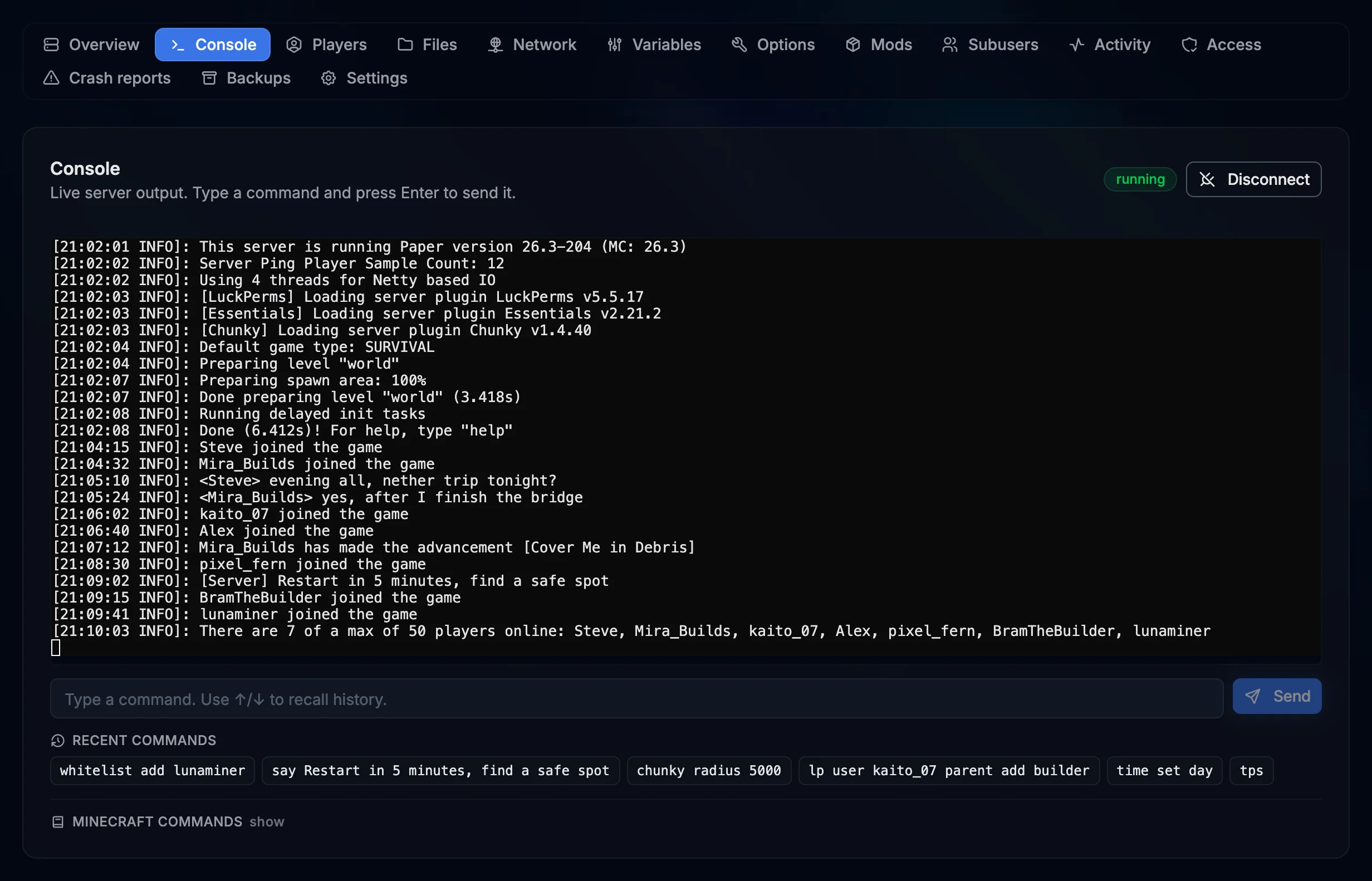
Live Console with History
Real-time server output and command input. Your last 10 commands are saved to your account, so they are still one click away after a restart.
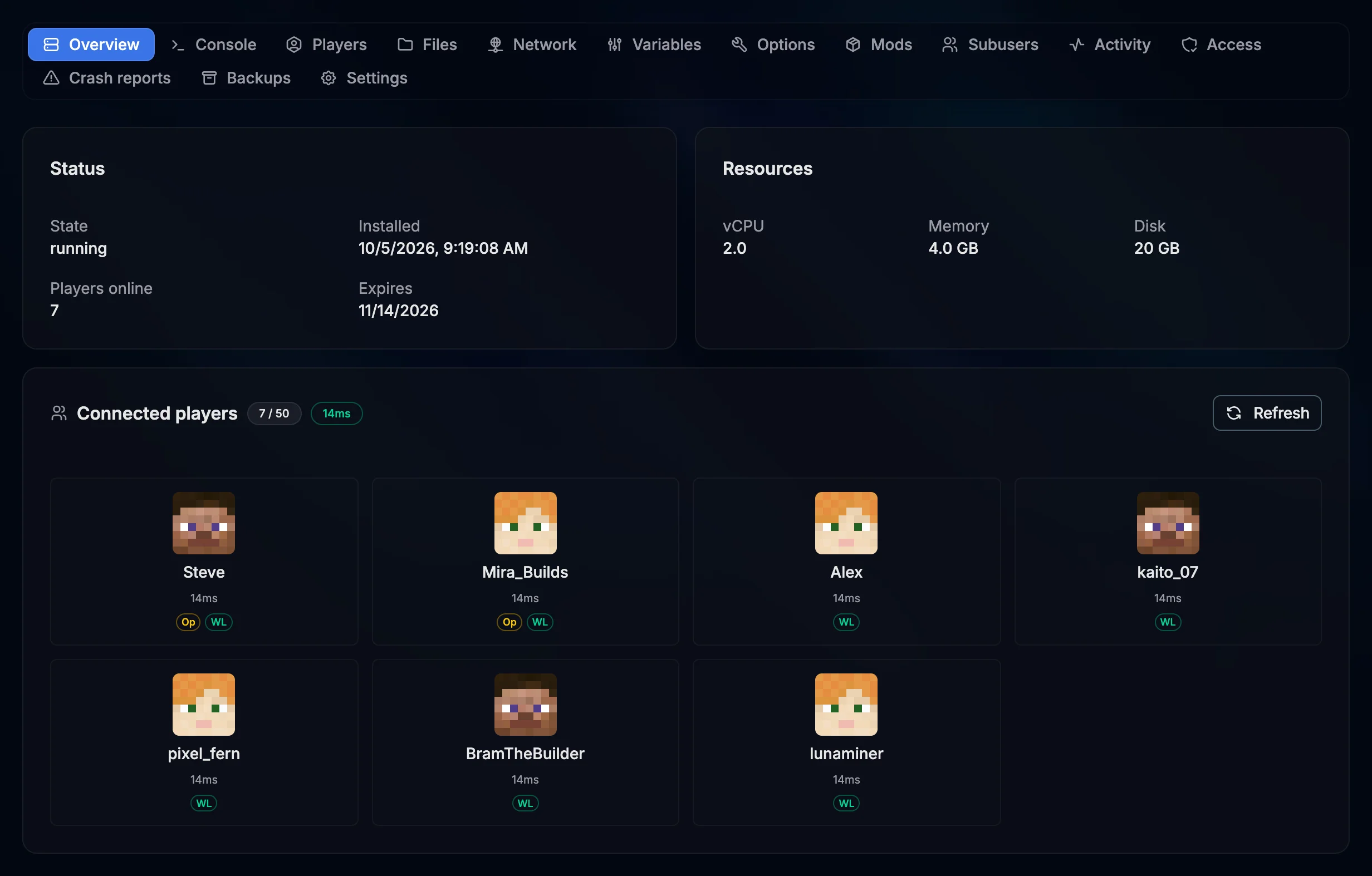
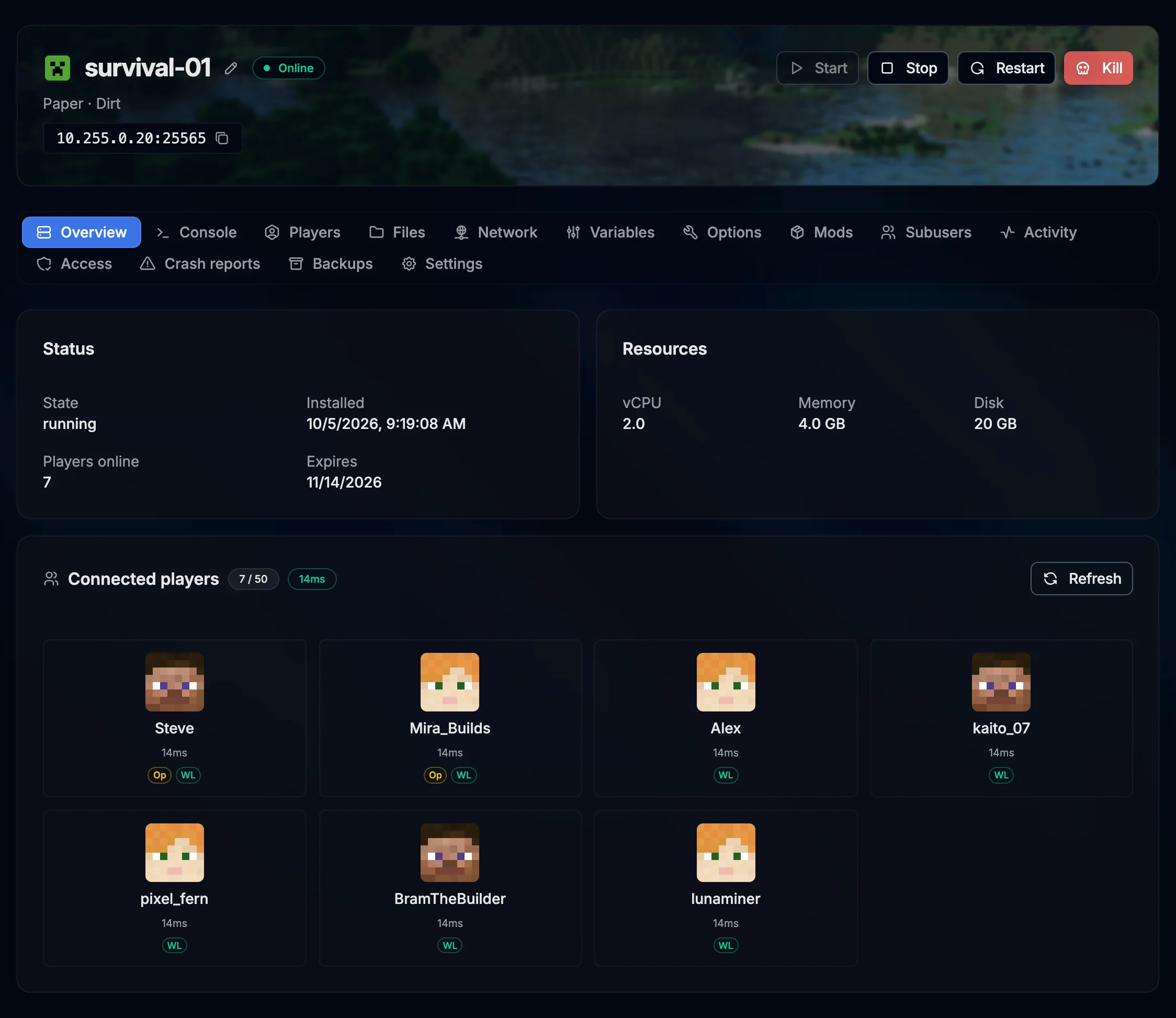
Connected Players Widget
See who is online, the player count and the server ping right from the overview. The list refreshes on its own every 15 seconds.
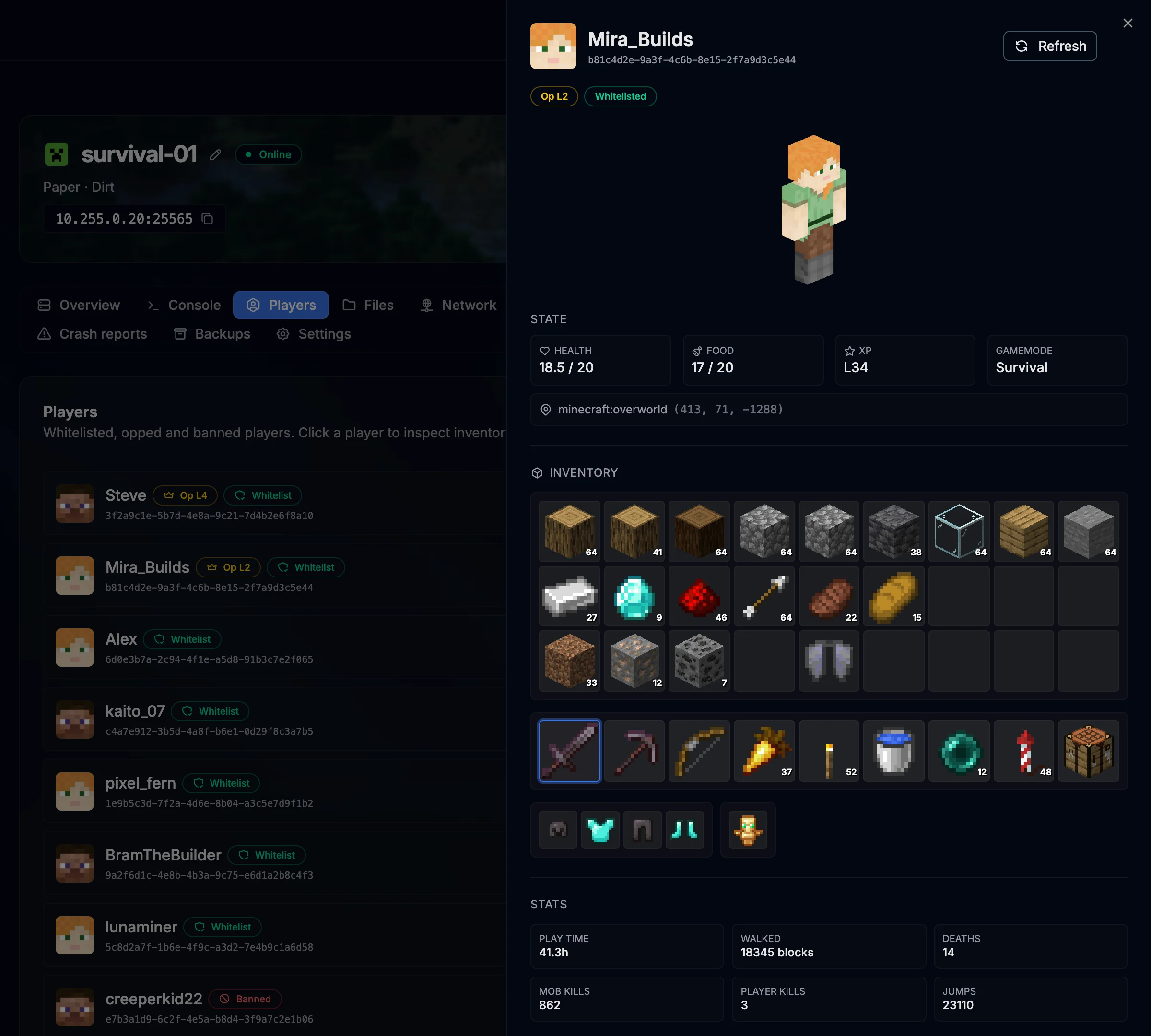
Player Manager
Browse whitelisted, opped and banned players and open any of them to see skin, inventory, advancements and stats read from the world files. Kick, ban, op or whitelist in two clicks.
Visual Options Editor
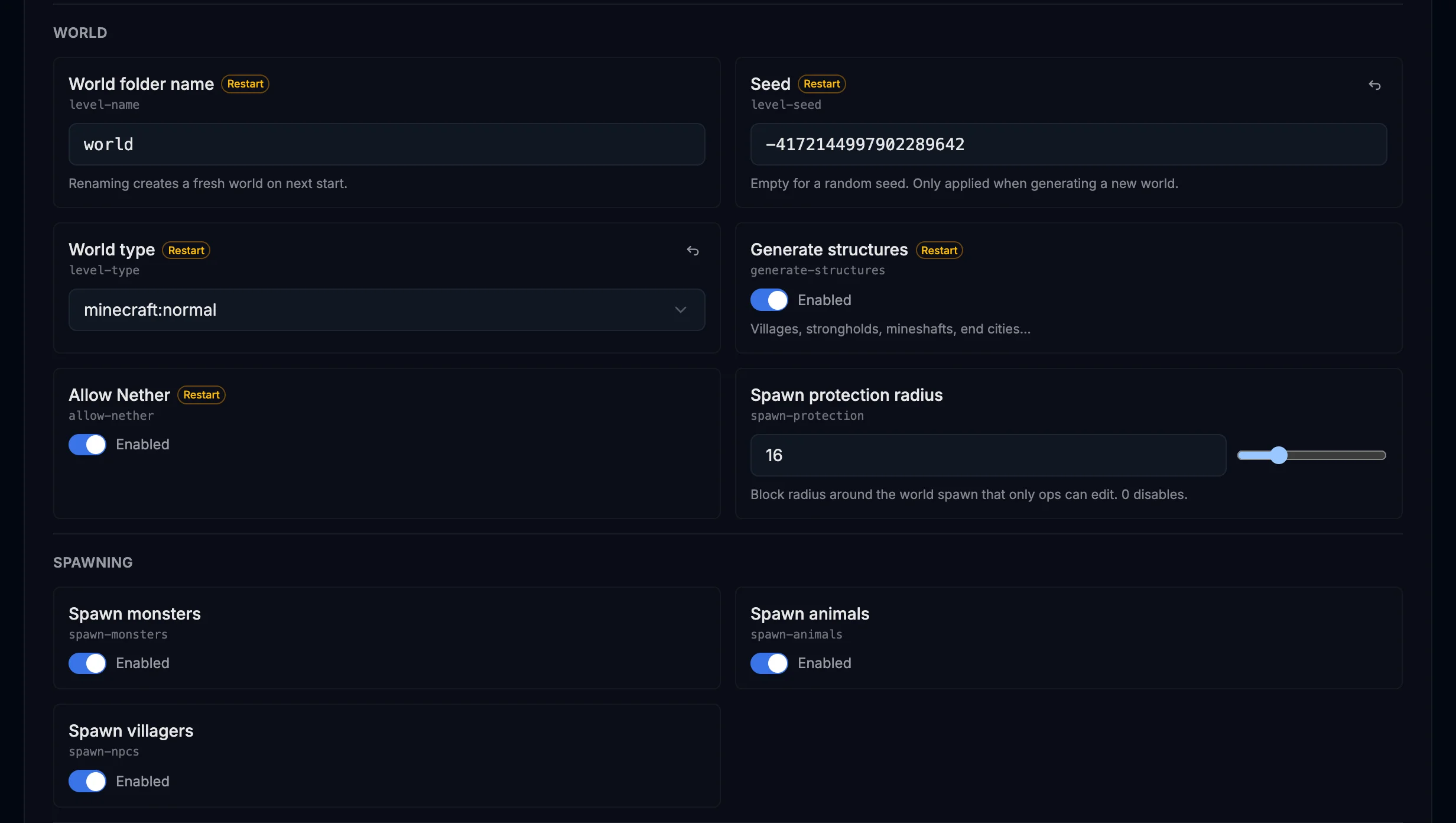
Edit server.properties, the MOTD with color codes and the difficulty from a clean UI, or switch to the raw file. Upload a 64x64 server icon from the Settings tab.
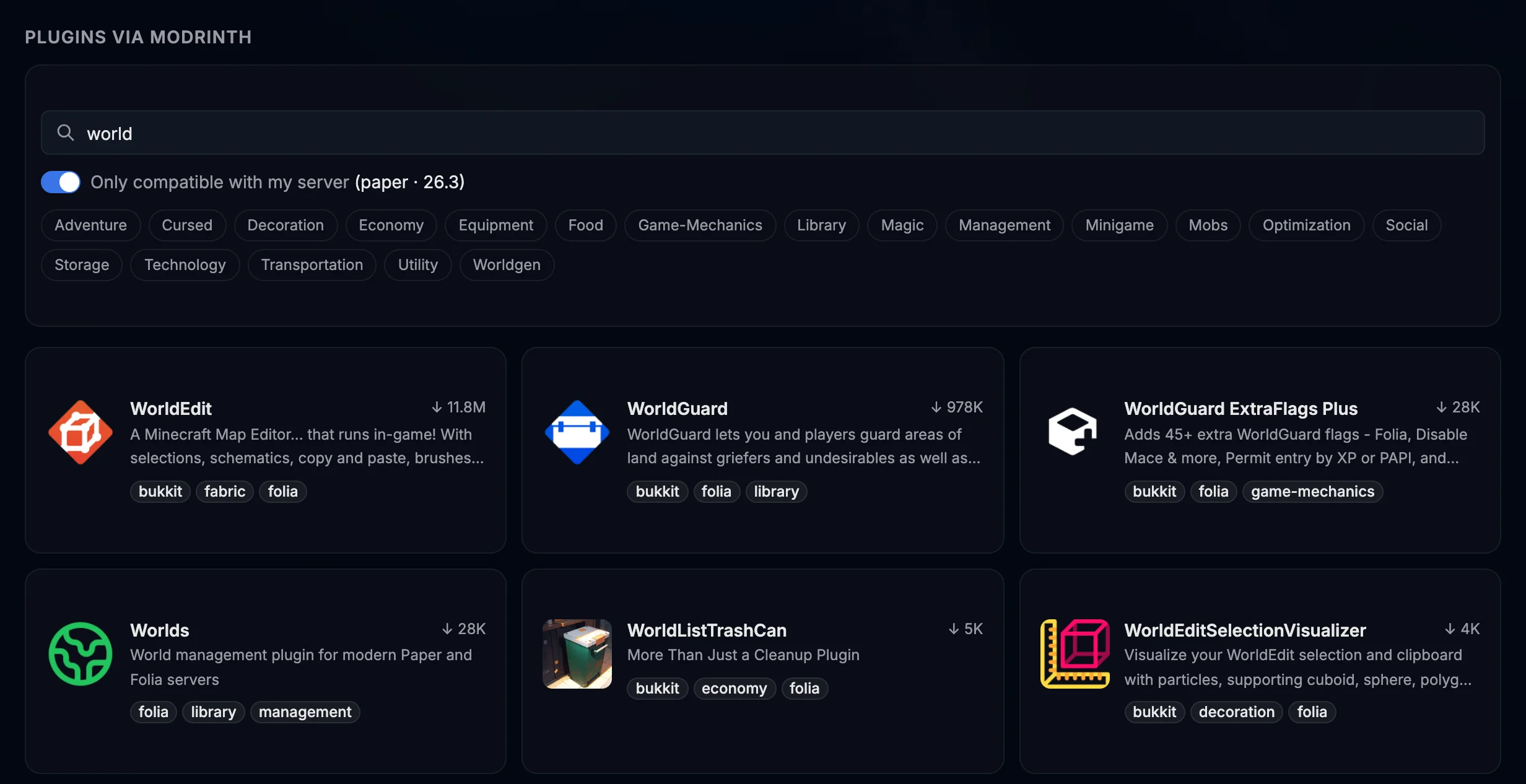
Modrinth Catalog
Search the full Modrinth catalog for mods and plugins. Install with one click, switch versions or uninstall from the same screen.
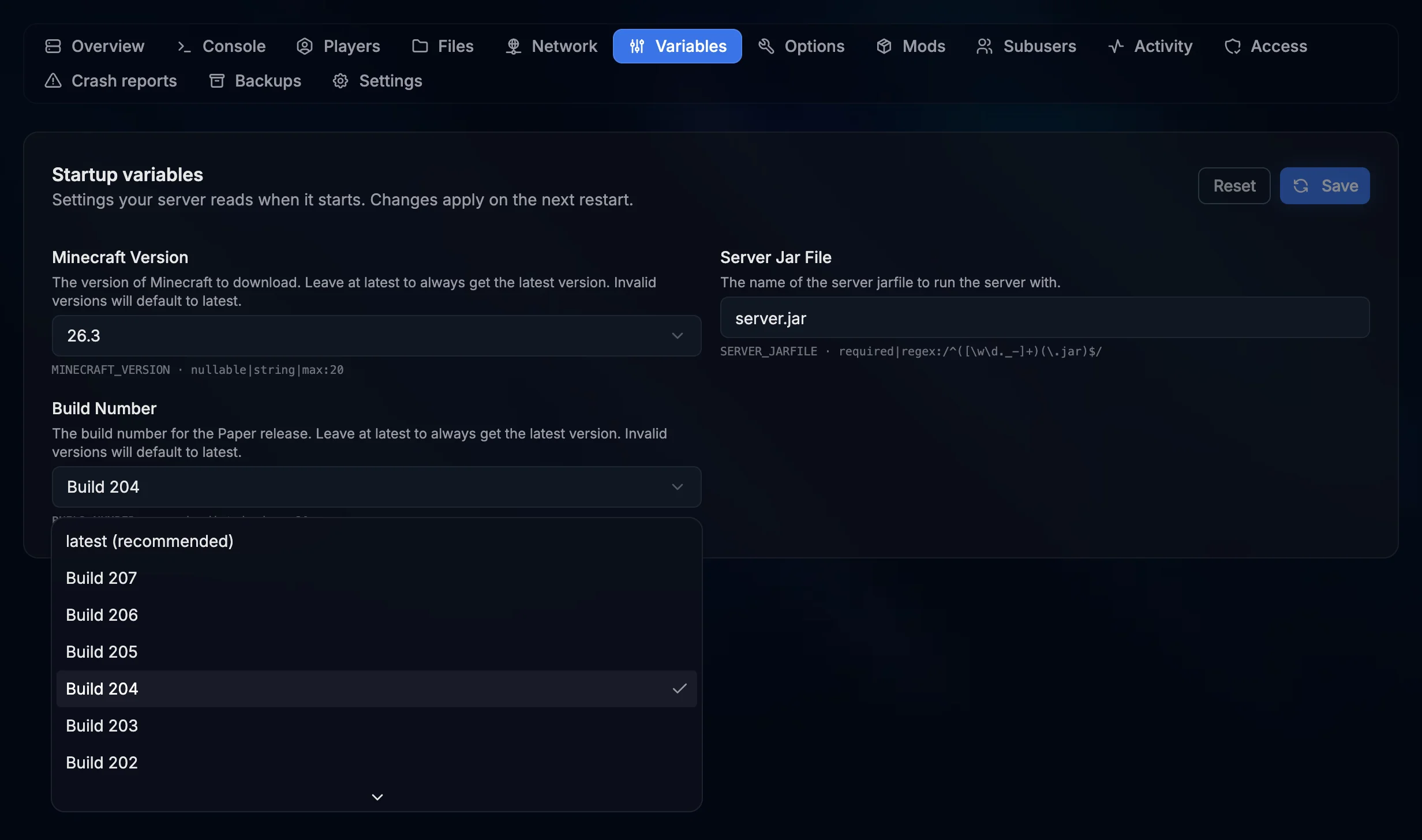
Live Build Picker
On Paper, pick the Minecraft version and build from a live list of official releases. Reinstall from the Settings tab and the new build is downloaded for you.
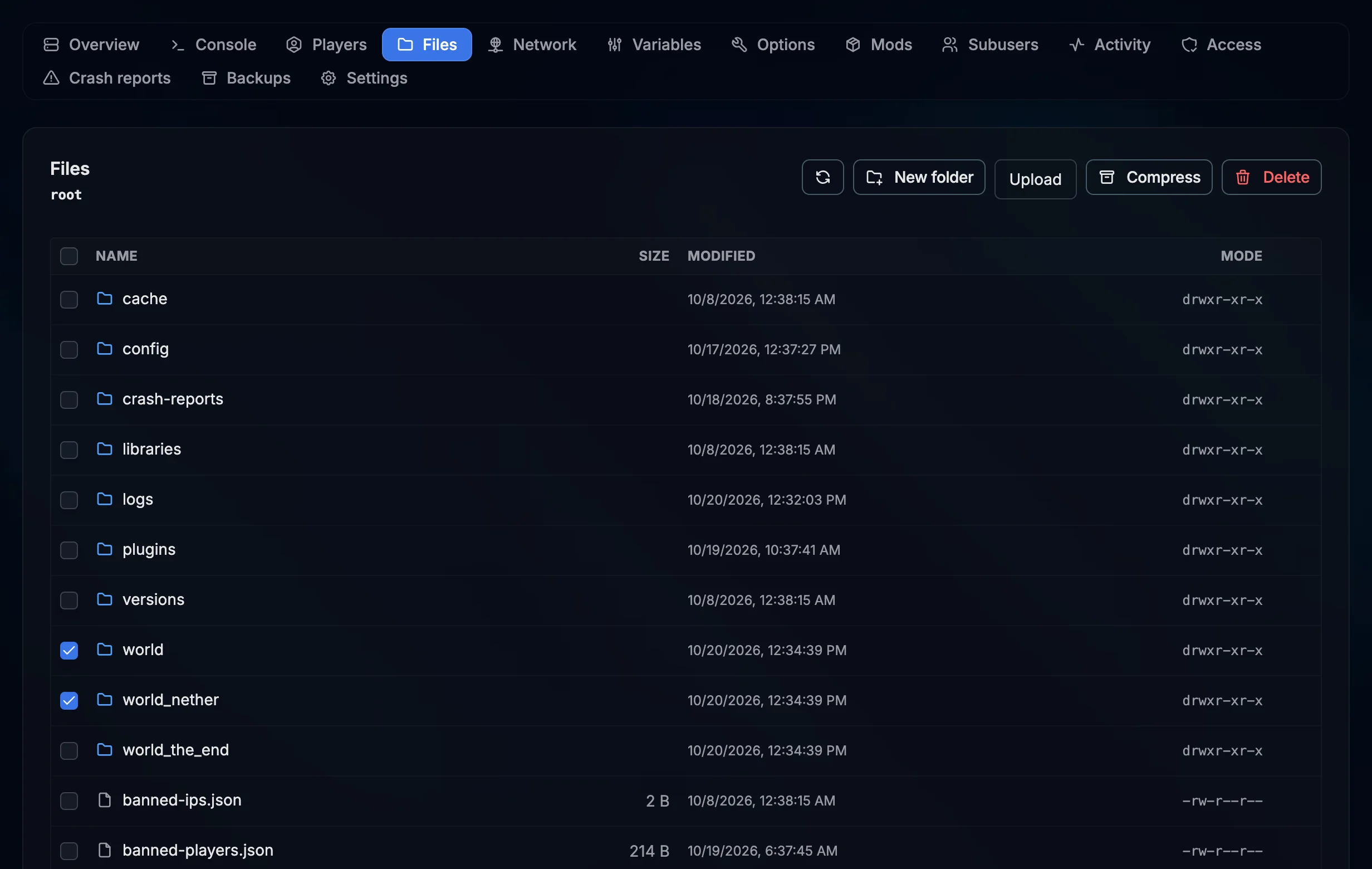
Full File Manager
Browse, edit, upload from your browser, compress and rename any file. Edit YAML and JSON inline and extract archives in place, or connect over SFTP.
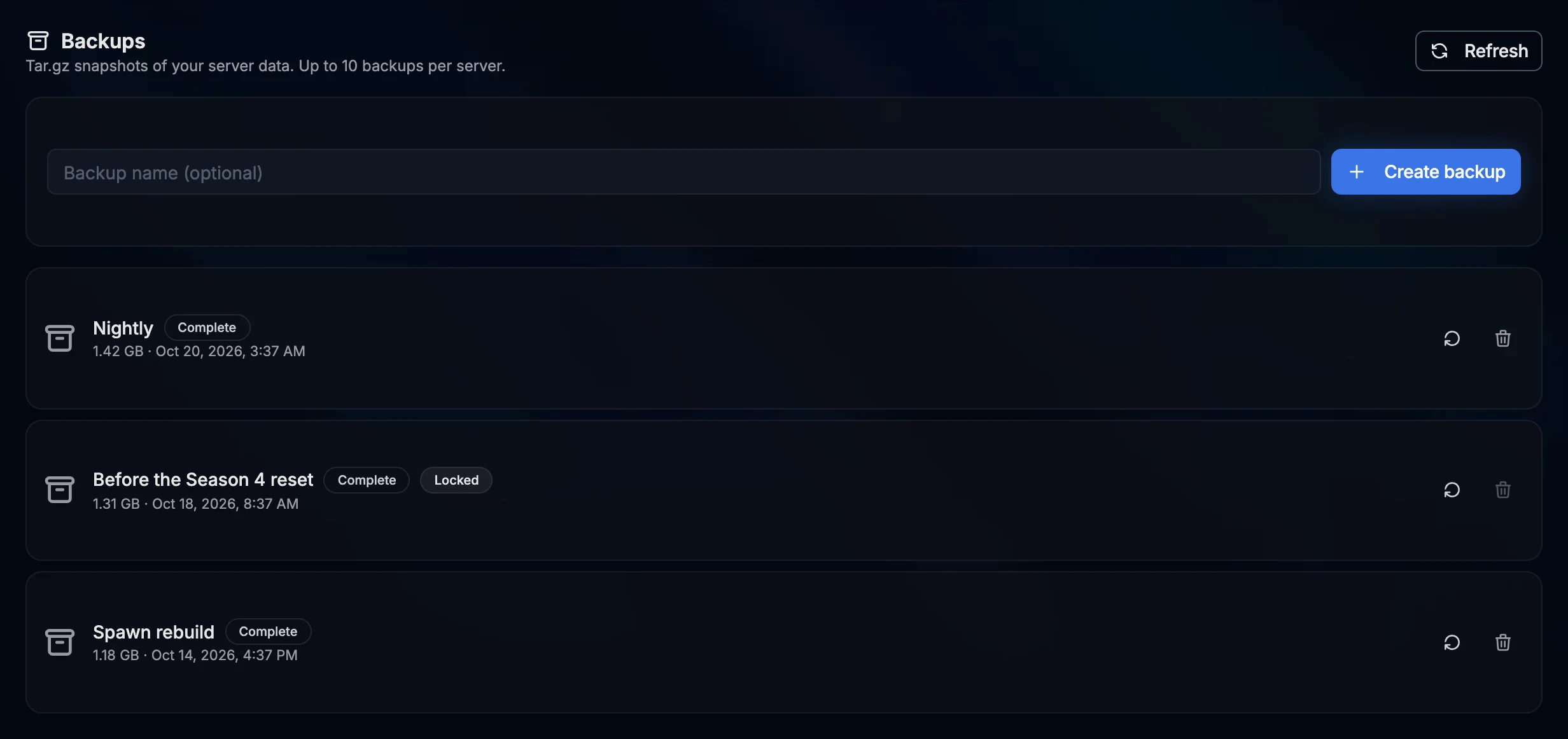
On-demand Backups
Back up your world and configs whenever you want, up to 10 backups stored with your server. Restore any of them with one click.
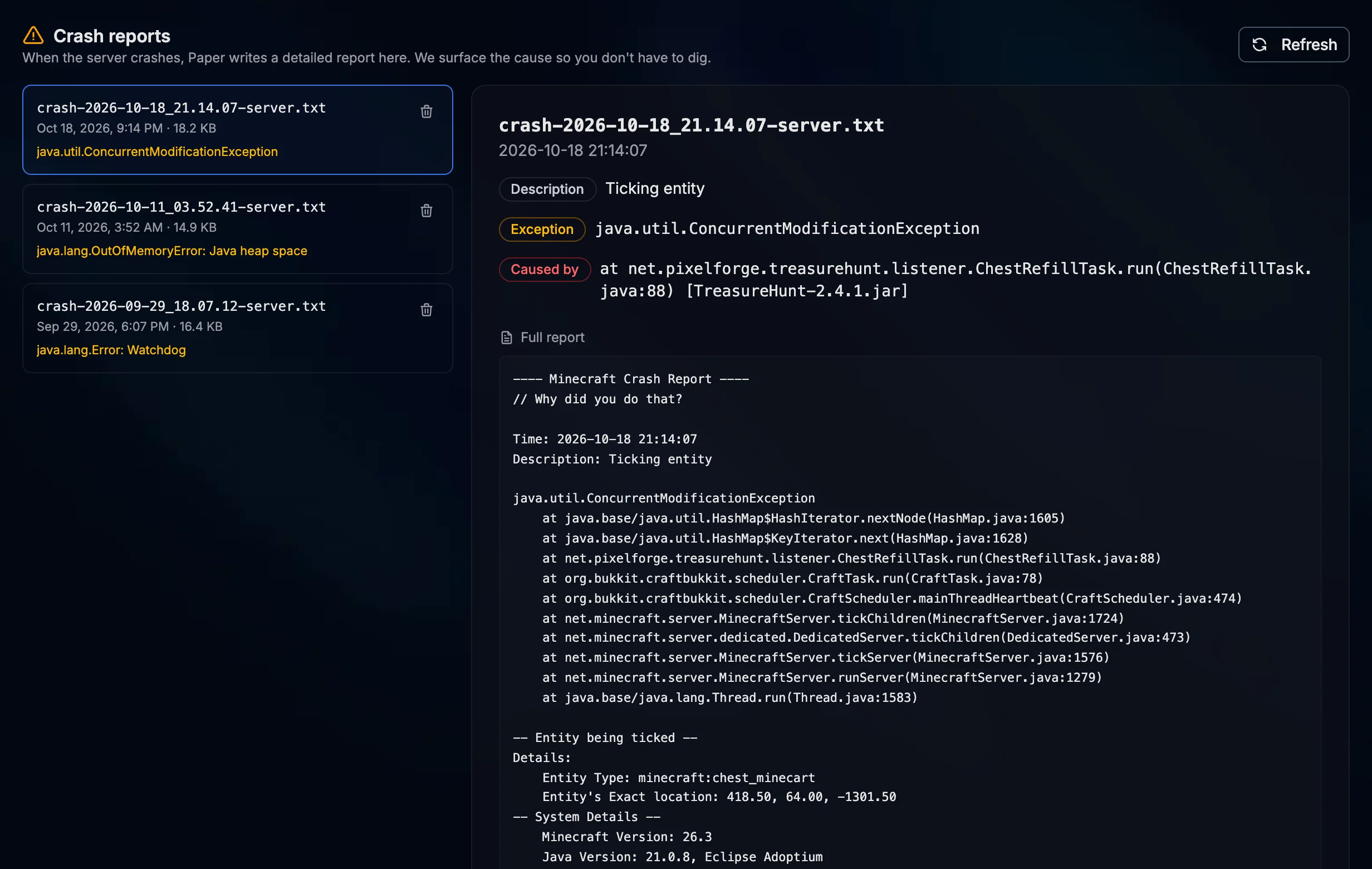
Crash Report Viewer
When the server crashes, the panel lists every crash report with the description, exception and cause at the top and the full report one click away. Delete the ones you no longer need.
Server Panel
Run your network without touching SSH
Build a multi-server network: hand the keys to your staff with scoped permissions, audit what they change, reserve extra ports for proxies and move to a new version as soon as it drops.
- Custom port allocations for proxies, query, Dynmap and friends
- Invite co-admins by email with granular permission sets
- Activity log of power actions, file changes, backups and subuser edits
- Reinstall on demand to pick up a new version or build

Server Software
Pick the flavor that fits your community
Choose between vanilla, optimized forks, modded loaders, cross-play with Bedrock or a proxy fronting a whole network. Every option ships pre-configured.
Vanilla
The pure Mojang server, official releases.
Paper
Performance fork with plugin and async chunk support.
Purpur
Paper plus extra gameplay tweaks and config knobs.
Purpur + Geyser
Java server that accepts Bedrock players from console and mobile.
Fabric
Lightweight modding loader, fast to update for new versions.
Forge
The classic modding platform with the largest mod catalog.
Velocity
Modern proxy to link multiple servers under one address.
Waterfall
BungeeCord fork tuned for stability across networks.
Pick the software when you deploy. Versions and builds come from official sources, no manual JAR downloads.
Plans for every server size
All prices include VAT where applicable.
Plans are loading or temporarily unavailable. Please try again in a moment.
Questions, answered
Everything you need to know before you deploy
How fast is my server ready?
Within minutes. The moment your order clears we provision the JAR, world and ports and boot it automatically.
Can I change the Minecraft version later?
Yes. Set a new version in the startup variables (on Paper you also pick the exact build from a live list) and reinstall from the Settings tab to download it. Moving to another server type means deploying a new server.
Do Bedrock players get to join?
Yes. Pick Purpur + Geyser on any plan and console and mobile players can join your Java server. Set the Bedrock port in the Geyser config to one of your server ports.
Are backups included?
Yes, on every plan. Take a backup whenever you want, up to 10 per server, and restore any of them with one click. Backups are not automatic, so take one before big changes.
Is DDoS protection really on every plan?
Yes. DDoS protection is part of our network and covers every Minecraft server, with no surcharge or add-on.
Can I install mods and plugins myself?
Browse the full Modrinth catalog for one-click installs, or upload your own through the built-in file manager.
Step into your new dimension
Deploy your server today with instant setup. Drop right in and start building.
Jump In